
How to create a Swimming New Zealand Fastlane Account
To create your Swimming New Zealand FastLane account, you must first register as a member on the Swimming New Zealand website.From there, click the “login/join” button and navigate to “New to Swimming?”. You will then choose “Swimmer,” select your membership type, and choose your region and club to complete the registration process. This will allow you to create a FastLane account, which is necessary for entering swim meets and managing your membership online.
Please refer to the instructions below on how to sign up for Fastlane. For first-time registrants, please allow ample time, as new accounts must be activated by the club’s recorder before entering meets can occur. If you would like to see a more detailed step-by-step process click this link: Detailed FastLane Account Creation Document
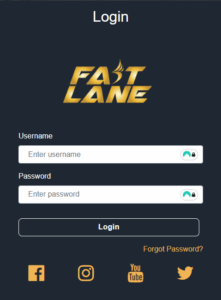
- Visit the Website: Go to the Swimming New Zealand website. You can find the link on our website to the FastLane site under our main menu called INFO then click on FastLane Login or via this link: FastLane Account Creation
- Initiate Login: Click on the “login/join” option from the dropdown menu.
- Start New Membership: Select the “New to Swimming?” option to begin the registration for a new member.
- Select Category: Choose the “Swimmer” category.
- Choose Membership Level: Select the appropriate membership type (e.g., Recreational Swimmer, Club Swimmer, or Competitive Swimmer) based on your involvement.
- Select Your Club: Choose your region and then your specific club.
- Confirm Details: Follow the prompts to confirm your selection.
- Complete Profile: Input the required personal details to complete your membership registration.
- Log in to FastLane: Once your membership is set up, you will have a FastLane account and can log in at FastLane User Login.
If you have any questions, please don’t hesitate to reach out to us. Alternatively, feel free to approach one of the committee members or coaches poolside at any time.